In this part of my cybersecurity learning journey, I worked through a PortSwigger Web Security Academy lab about getting hidden data using SQL injection techniques.
They used the example of a shopping application that shows products in different categories. You click on a category and it shows you the contents of that category:
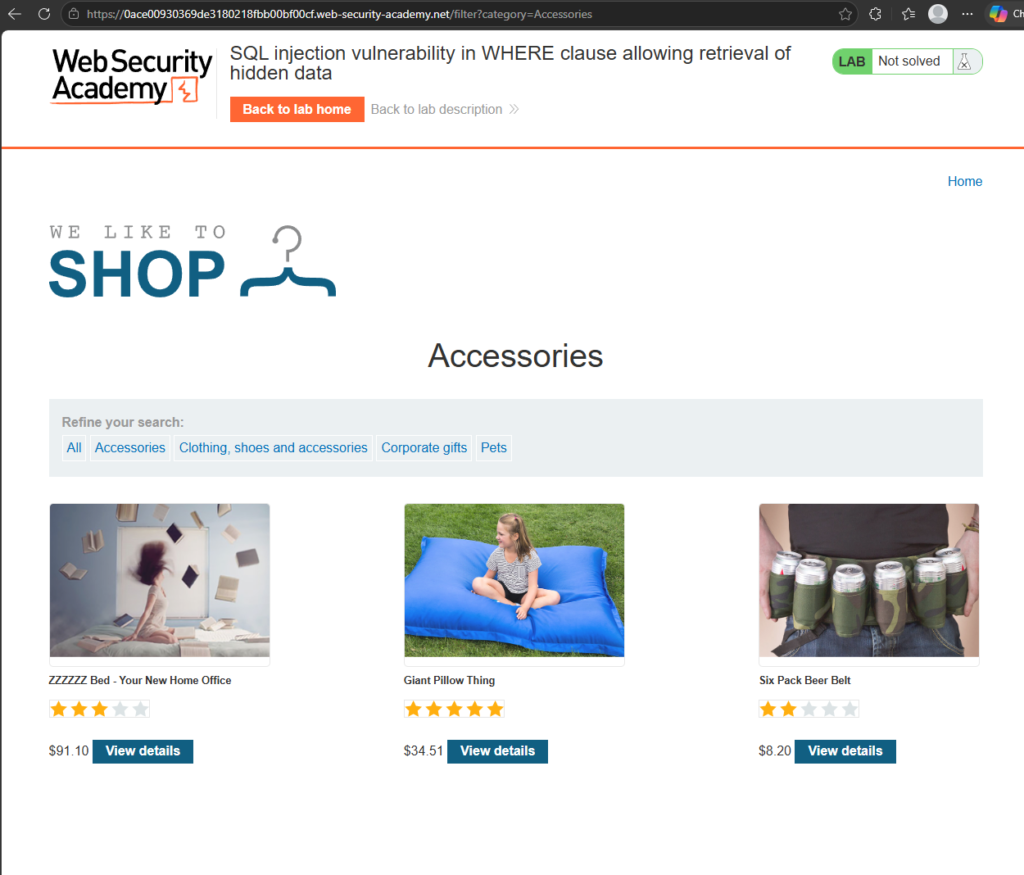
We’re interested here in the query string at the end of the URL. In this case it’s
?category=AccessoriesThat gets sent to the backend where the application uses it to query a database. The lab explained the SQL query may look something like this:
SELECT * FROM products WHERE category = 'Accessories' AND released = 1To be completely honest, as a beginner, I did wonder:
How would I know about the “AND released = 1” part just from looking at the query string?
The answer is: I probably wouldn’t know from the query alone… But hey-ho. I guess it’s just for the purposes of showing us a simplified version of what goes on behind the scenes. In a real-world situation we’d probably be testing the application’s behaviour and making guesses based on its responses.
So to break it down, that SQL query runs like this:
Hey database! SELECT everything FROM the products table
WHERE the category is Accessories
AND WHERE released is equal to 1. K thx bye.
Suspending the disbelief that I would know about the released=1 condition for a moment (and assuming that released=0 is for unreleased products let’s assume that the app doesn’t have any defense against SQL injection at all. We can try and attack it by changing that query string to something like:
?category=Accessories'--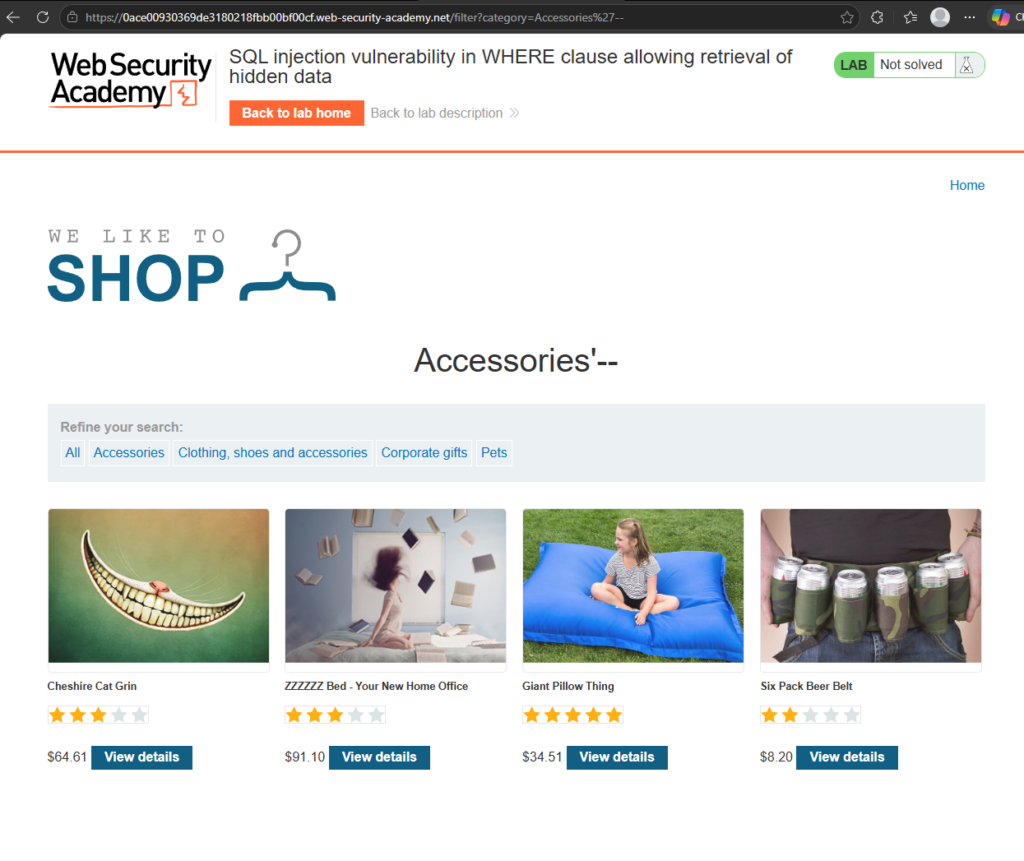
You can see we how have another product showing called “Cheshire Cat Grin”. Basically we made an alteration to the SQL query that the application would send. Now it would be something like this:
SELECT * FROM products WHERE category = 'Accessories'--' AND released = 1Notice that double dash? In SQL, that indicates what follows next is a comment and should be ignored. Therefore it’s completely removed from the query. So now we’re gettling all the accessories!
We can also do something similar for get absolutely everything by changing the query string to:
?category=Accessories'+OR+1=1--That gives us the SQL query:
SELECT * FROM products WHERE category = 'Accessories' OR 1=1--' AND released = 1The key part here is:
OR 1=1This works because 1=1 is always true. So now we’re saying:
Hey database! SELECT everything from the products table
WHERE the category is 'Accessories'
OR you know... Whatever. K thx bye.
This works because we are now asking for a catergory called ‘Accessories’ OR any category that is true. This basically means it contains any value except false or 0. This makes it output everything in the products table and it also clears the lab!

Important warning
One thing the lab points out is that even a simple-looking injection like:
OR 1=1can be dangerous!
It might seem harmless when you are only retrieving products from a test shop, but some applications use the same input in multiple database queries.
If that injected condition reached an UPDATE or DELETE statement, it could potentially modify or delete far more data than intended.
So this is something to practise only in safe, legal environments like PortSwigger Web Security Academy labs, deliberately vulnerable apps, or your own test systems.
Bypassing Login Authentication

So in this lab, we’re going to bypass the login of an application. Back to the familiar shop website again and this time we’re going to click on ‘My Account’, which takes us to a login page.
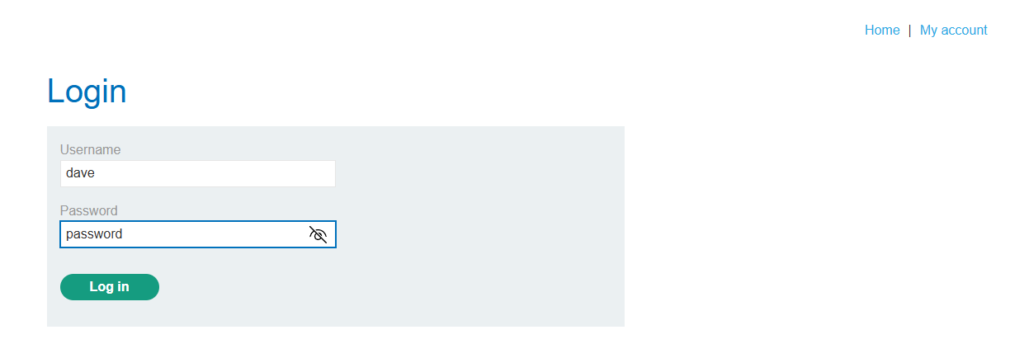
Looks all well and good. We can type in any random username and password combination and it looks like it tries to match the username and password with the database for authentication.
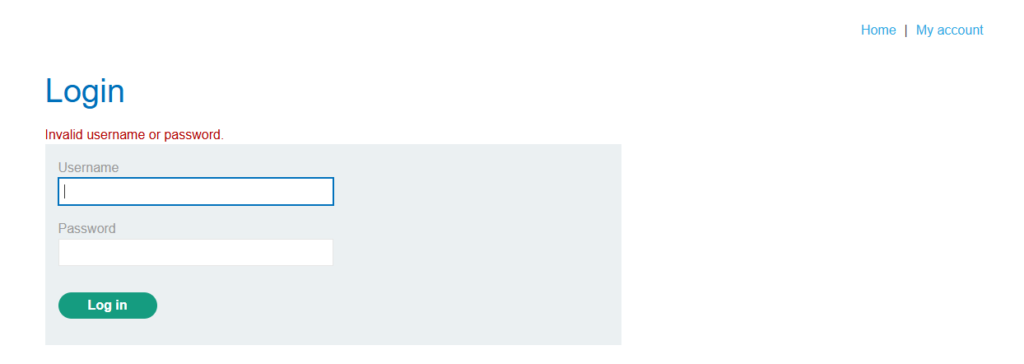
However, what if we try our old trick again? What if the application is building the database query:
SELECT * FROM users WHERE username='dave' AND password='password'Just passing in our username directly from the frontend to the SQL query is not a good idea… But we’ve seen that this application hasn’t been built on good ideas so far… Let’s try our old shenanagins on the user input instead of the URL this time…
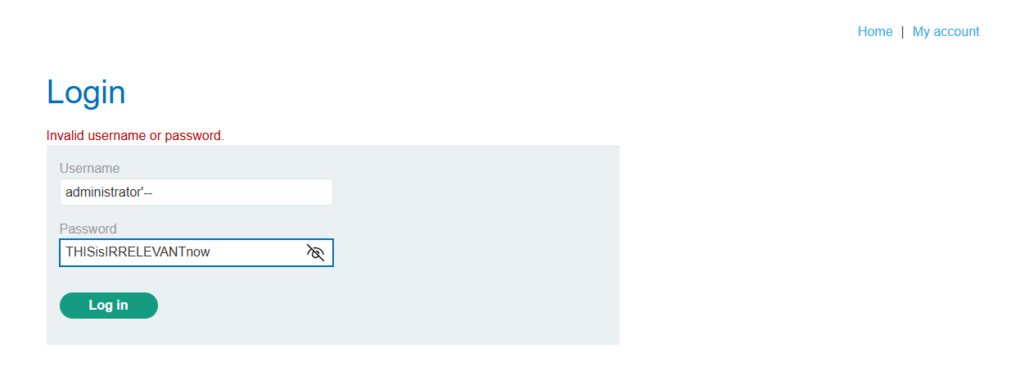
We’re going straight for the administrator account… Of course we have our old friend the single quote and his pal the double dash. Hopefully this will now make the query look like this.
SELECT * FROM users WHERE username='administrator'--' AND password='THISisIRRELEVANTnow'Taking into account the comment, it reduces the query to simply:
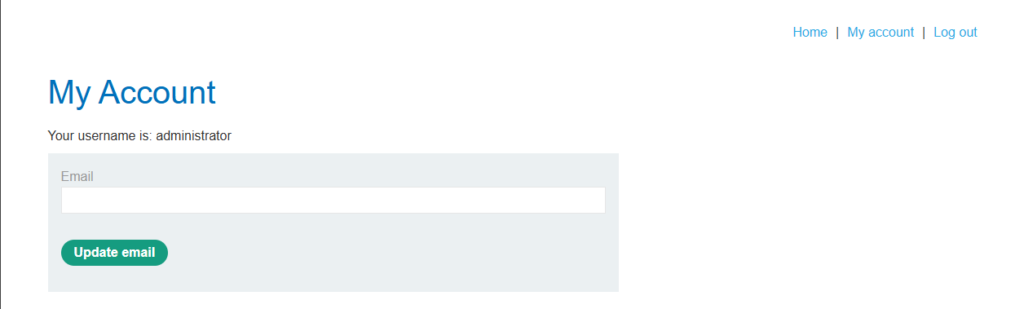
SELECT * FROM users WHERE username='administrator'Hitting the login button gives us the account page for the administrator as well… BOOM! Another lab completed!
What I learned
The main thing I took away from these labs is that SQL injection is not magic. It is about understanding how user input can accidentally become part of a database query.
In the first lab, the category value in the URL looked harmless, but because the application trusted it too much, it was possible to change the logic of the SQL query and reveal products that were supposed to stay hidden.
In the second lab, the same idea applied to a login form. Instead of injecting into a query string in the URL, the attack was placed directly into the username field. By using a single quote and a SQL comment, the password check was effectively removed from the query, allowing access to the administrator account without knowing the password.
That was the big “ohhhh, that’s why this is dangerous” moment for me. SQL injection is not just about making a page show extra products. If the vulnerable input is used in authentication, it can completely bypass login checks. If it is used in update or delete queries, it could potentially change or remove data as well.
It also made me realise that login forms, search boxes, filters, URLs, and basically any user-controlled input can become risky if the application builds SQL queries by directly stitching strings together.
That is why secure applications need more than just basic input validation. They need to use safe database practices such as parameterised queries, prepared statements, and proper server-side checks, so user input is treated as data rather than executable SQL logic.
Later, I’ll look at ways to mitigate these problems properly, but not before exploring more SQL injection vulnerabilities. So thanks for sticking around and learning with me. Until the next time, until the next tutorial: Catch you later! Bye bye!